
How to Design Custom Jeep Graphics Online in 6 Steps

Last Updated: October 28, 2026
Quick Summary
To design custom jeep graphics online, first measure the usable flat area of each panel and note any obstructions like handles, hinges, and badges. Then build your design in an online designer, using standard vinyl colors and keeping a margin inside the body lines before you order.
- Confirm your Jeep's model, year, and body style before designing, since panel sizes differ.
- Measure each panel's usable flat area and note obstructions like door handles and fuel doors.
- Leave at least 0.5 to 1 inch of margin inside body lines so vinyl can conform.
- Use standard vinyl colors, since screen colors may not match stock film.
- Save your artwork and design ID so you can revise without rebuilding.
Table of Contents
- Gathering What You Need Before You Design Your Jeep Graphics
- Choosing a Jeep Graphic Style and Size That Fit Your Vehicle
- Building Your Custom Design in the Online Designer
- Previewing Placement and Fit Before You Order
- Comparing Materials, Durability, and Cost Factors
- Preparing the Surface and Applying Your Jeep Vinyl Graphics
- Ordering Your Design and Planning Your First Install
- Frequently Asked Questions
Gathering What You Need Before You Design Your Jeep Graphics
Start with a few facts about your vehicle, since the right fit is the foundation of any set of custom jeep graphics. Your design will look best when it matches the body it sits on. Build a short fitment sheet before you open the designer. Accurate measurements ensure that your custom decals integrate seamlessly with the vehicle's contours, a principle that remains equally vital when applying professional fleet graphics to a commercial vehicle.
Confirming your Jeep model, year, and body configuration
Write down your Jeep's model, model year, trim, and body style. A two-door Wrangler and a four-door Wrangler Unlimited have different panel sizes, so the same graphic can fit one and look wrong on the other. The same logic applies across generations: a CJ-5, a YJ, a TJ, a JK, and a JL each have different door and hood proportions, and a graphic sized for one generation will not transfer cleanly to another.
Check these details before you begin:
- Model and year (for example, Wrangler YJ or CJ-5)
- Body style (two-door or four-door)
- Hardtop, soft top, or open top
- Current paint color and finish
- Trim level and any factory packages that add flares, hood vents, or side steps
Watch out: Measure your panels yourself. Do not rely on a generic size chart, since trim and body differences can change the usable area. Measure the flat, usable width and height of each panel you plan to cover, and note any body lines, creases, or raised features that will interrupt the graphic.
Building a fitment checklist by panel
A fitment checklist turns measurements into a design brief. For each panel you want to cover, record:
- Usable flat area (width × height in inches) inside the body lines
- Curvature, flat, single-curve, or compound-curve;
- Obstructions, door handles, hinges, latches, fuel door, badges, and trim that must be cut around
- Panel gaps, where the graphic should stop short of an edge to avoid bridging a gap
- Viewing distance, a hood graphic is seen from the driver's seat and from outside; a tailgate graphic is seen mostly from behind
Choosing where the graphic will go on the body panels
Pick the panel first. Hoods, doors, fenders, and the tailgate each give you a different canvas.
Walk around the vehicle and note the spots that catch your eye. Then decide how much of the panel you want to cover.
Choosing a Jeep Graphic Style and Size That Fit Your Vehicle
Pick a style that matches how you use the Jeep. A rugged, bold design suits a trail rig, while clean lines and a single accent color suit a daily driver.
Size matters as much as style. A graphic that is too small disappears from the road, and one that is too large can crowd the body lines. Measure the panel, then choose a size that leaves a little breathing room around the edges.
Building Your Custom Design in the Online Designer
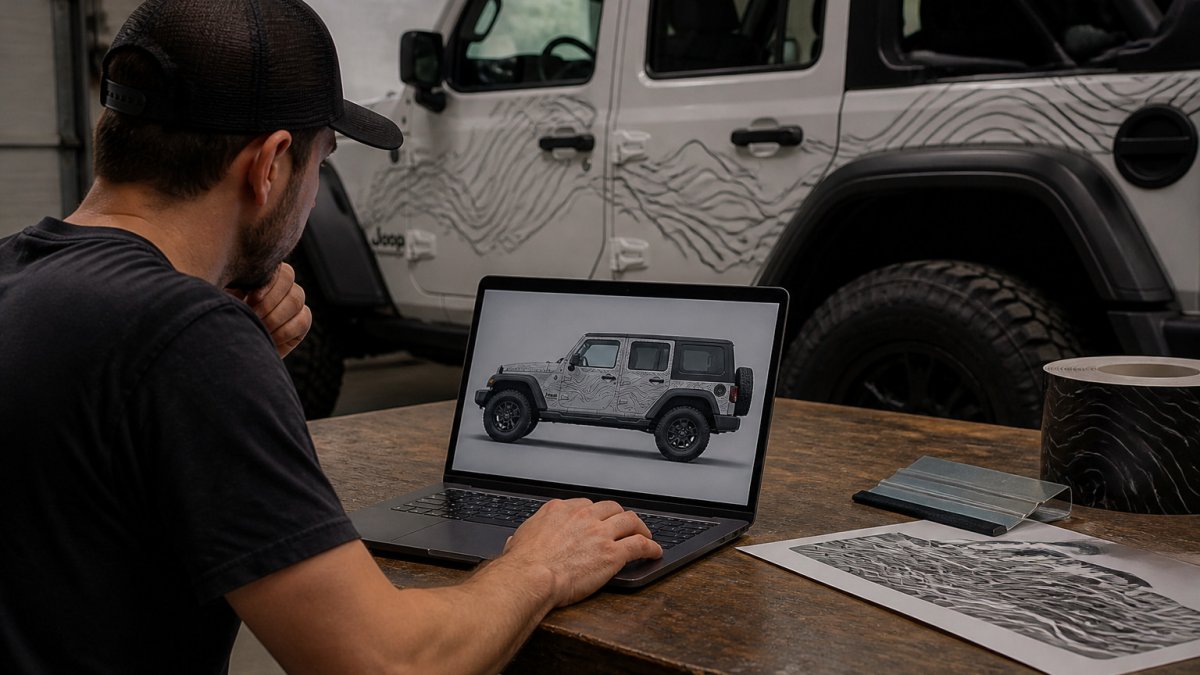
Open the online designer and start with a blank layout or a template. Add your text, shapes, or artwork, then adjust them until the composition feels balanced. The designer is where you turn an idea into a production-ready file, so treat this step as prepress, not just decoration.
DESIGN YOUR OWN LICENSE PLATE →
Personalizing colors, outlines, and contrast
Try a few color combinations and check each one in the preview. Colors can look different on screen than they do on the finished vinyl, so keep your choices simple. If the designer offers a color library, stick to standard vinyl colors rather than custom RGB values, most print-and-cut shops map artwork to a fixed vinyl palette, and an exact screen color may not exist in stock film.
Uploading artwork and meeting production-ready file specs
When the file passes these checks, save a copy of the uploaded artwork and the design ID. If you need to revise later, you can reopen the saved design instead of rebuilding it from scratch.
The article's key design checks are summarised below, so you can scan them before you upload your artwork.
| Design check | What to confirm | Why it matters |
|---|---|---|
| Colors | Use standard vinyl colors | Screen colors may not match stock film |
| Color source | Pick from the designer's color library | Shops map artwork to a fixed palette |
| Saved work | Keep a copy and the design ID | Lets you revise without rebuilding |
Previewing Placement and Fit Before You Order
Once the placement looks right, save your design and move to the next step.
Comparing Materials, Durability, and Cost Factors
Cost depends on size, material, and the number of pieces in your design. Larger graphics and more complex cuts add to the price, so decide on your budget before you finalize the layout.
Preparing the Surface and Applying Your Jeep Vinyl Graphics
Work with a helper for large graphics. Two people make it much easier to keep the vinyl straight.
Ordering Your Design and Planning Your First Install
Plan your first install for a day with mild weather and enough time to work slowly. Gather a squeegee, a clean microfiber cloth, a heat gun, and your cleaning supplies before you begin. Starting with a practice piece on a spare surface can build confidence before the real install.
Frequently Asked Questions
How do you design custom Jeep graphics online?
Start by choosing your Jeep model, then open an online designer and upload your artwork or pick a starting layout. Adjust colors, outlines, and text, then check the preview on your vehicle's body panels before ordering. Use high-resolution images so the printed decal stays sharp, and confirm the final width and material at checkout. Saving a copy of each version helps you compare layouts before you commit to a single design.
How do I make sure custom graphics fit my Jeep?
Confirm your exact model, year, and body configuration, since panel shapes change between generations and hardtop or soft-top setups. Measure the target area on the body panel and compare it with the decal width and height shown in the designer. Use the preview to check that the graphic clears door handles, fuel doors, and trim edges before you place the order.
What material is best for Jeep decals and graphics?
Outdoor-rated vinyl with a protective laminate suits most exterior body panels because it resists moisture and UV exposure better than unlaminated print. Non-laminated vinyl can work for interior or short-term display use. Compare material options in the designer and consider how much sun and weather the Jeep sees in your area before deciding.
How do you prepare a Jeep before applying vinyl graphics?
Apply the decal to a suitable clean, smooth, dry surface. Allow fresh paint to fully cure and test an inconspicuous area before installation.
